Toksta MCP Server
Toksta MCP lets you run creator discovery and analysis workflows inside AI clients like Claude and ChatGPT, while using your Toksta account, campaigns, and credits.
What Toksta MCP Does
With Toksta MCP, you can:
- Search creators for LinkedIn and YouTube.
- Inspect real post evidence before shortlisting.
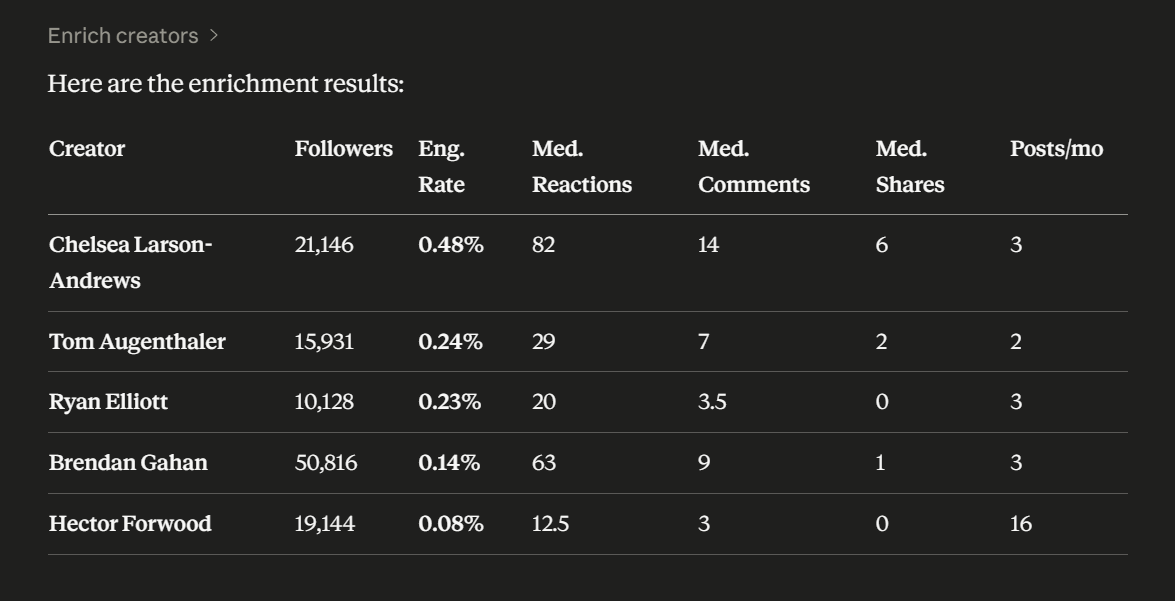
- Enrich creators with engagement metrics.
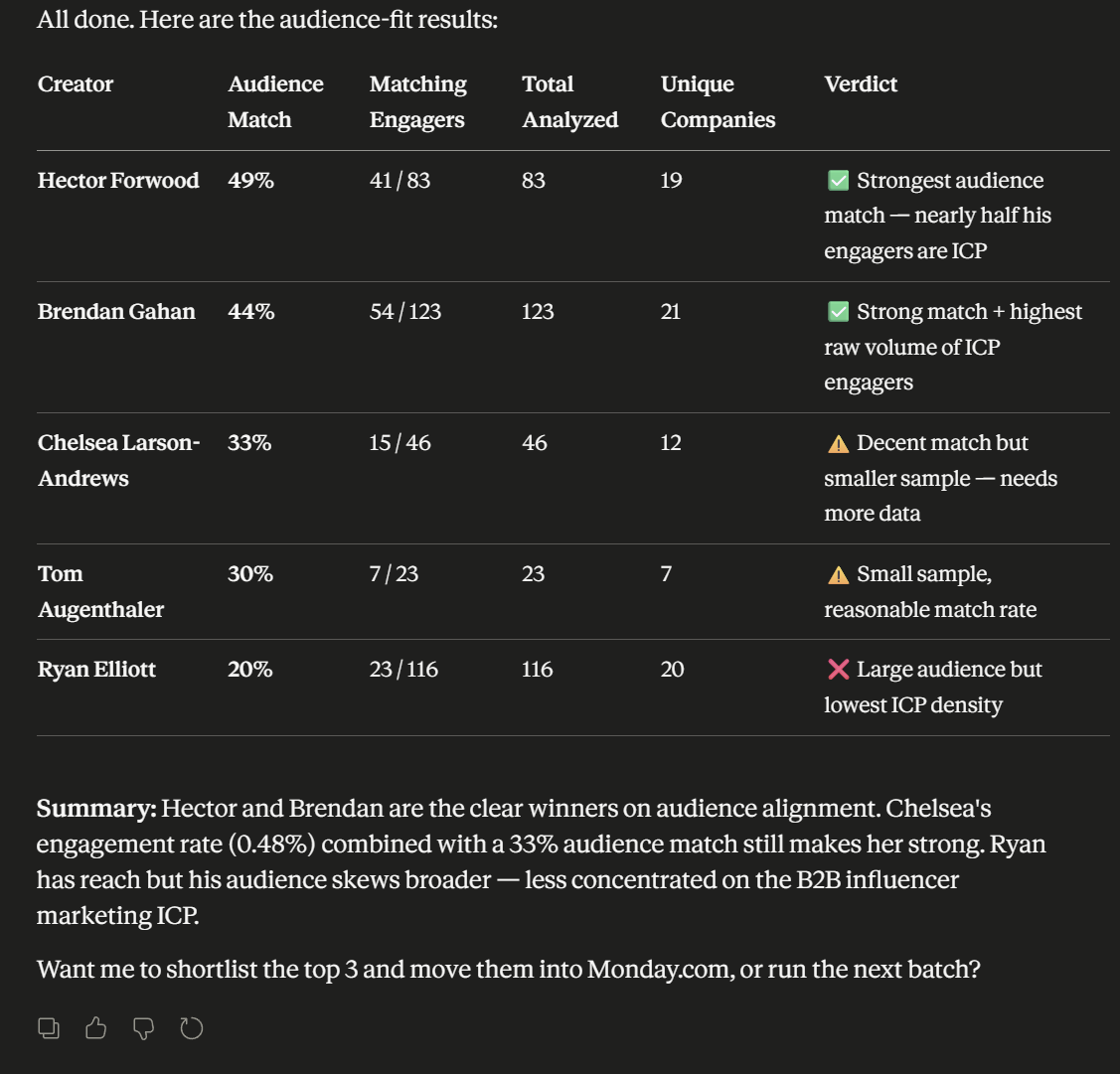
- Run content-fit and audience-fit analysis.
- Save shortlisted creators back into Toksta lists.
- Track long-running analysis jobs and fetch results.
Endpoint and Setup
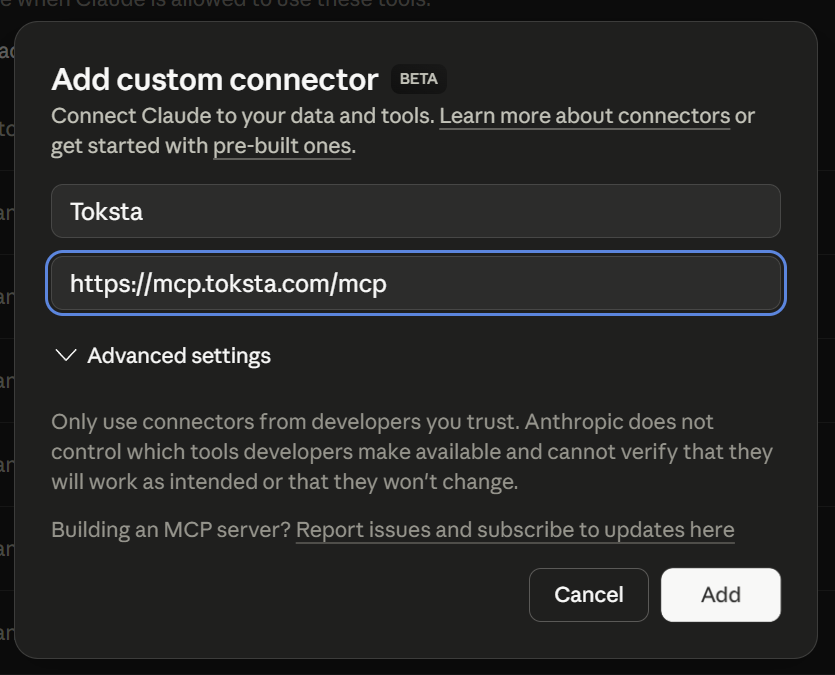
- Hosted MCP endpoint: https://mcp.toksta.com/mcp
- Finish setup in Toksta: Account -> MCP section
- Supported clients: Claude and ChatGPT custom connectors
Plan Availability
Toksta MCP is available on paid-access plans only.
| Plan | MCP Access | Notes |
|---|---|---|
| Free | No | MCP is blocked on Free. |
| PAYG | Yes | Requires positive usable credits. |
| Starter | Yes | Requires active, trialing, or canceling status and positive usable credits. |
| Pro | Yes | Requires active, trialing, or canceling status and positive usable credits. |
| Agency | Yes | Requires active, trialing, or canceling status and positive usable credits. |
If your usable credits are zero, MCP access is blocked until you add credits or your monthly allowance renews.
Pricing and Credits for MCP
MCP does not have a separate connector fee. Usage is billed through your Toksta credit balance.
Plan Pricing Reference
| Plan | Included Credits | Price |
|---|---|---|
| Free | 30 per month | $0 |
| PAYG | Buy as needed | $0/month + $0.10 per purchased credit |
| Starter | 2,000 per month | $99/month or $950/year |
| Pro | 8,000 per month | $249/month or $2,390/year |
| Agency | 25,000 per month | $499/month or $4,790/year |
For full billing details, see Pricing & Credits.
Tool Credit Costs
The MCP toolset has two billing groups.
0 additional credits per call
- get_campaigns
- get_campaign_details
- create_campaign
- search_creators
- get_search_result_posts
- get_creator_details
- get_creator_lists
- save_creators_to_list
- get_enrichment_results
- get_content_fit_posts
- get_audience_fit_details
- get_job_status
- get_job_results
- get_bulk_job_results
- cancel_job
Charged MCP tools
| Tool | Credit Cost |
|---|---|
| enrich_creators | 1 credit per creator |
| analyze_content_fit | 3, 5, or 8 credits per creator (depends on 10, 20, or 30 posts analyzed) |
| analyze_audience_fit | 10, 20, or 30 credits per creator (quick scan, deep dive, comprehensive) |
Starter usage caps still apply for fit analysis:
- Content fit: 50 analyses per month on Starter
- Audience fit: 50 analyses per month on Starter
MCP Tools Reference
Campaign Tools
- get_campaigns: List campaigns available in your account.
- get_campaign_details: Open one campaign with full targeting criteria.
- create_campaign: Create a campaign from your brief and targeting inputs.
Discovery Tools
- search_creators: Find creators using platform, keyword, location, follower, and engagement filters.
- get_search_result_posts: Pull post evidence behind search matches.
- get_creator_details: Load a single creator profile in detail.
List Tools
- get_creator_lists: List existing creator lists in your account.
- save_creators_to_list: Save creators into an existing list or create a new list.
Enrichment Tools
- enrich_creators: Start enrichment for selected creators.
- get_enrichment_results: Fetch completed enrichment output.
Analysis Tools
- analyze_content_fit: Start content-fit scoring against campaign topics.
- get_content_fit_posts: Fetch post snippets from completed content-fit runs.
- analyze_audience_fit: Start audience-fit scoring against target audience criteria.
- get_audience_fit_details: Fetch saved audience-fit details from completed runs.
Job Tools
- get_job_status: Check current status of a fit-analysis job.
- get_job_results: Fetch one completed job result.
- get_bulk_job_results: Fetch multiple completed job results.
- cancel_job: Cancel an in-progress fit-analysis job.
Example MCP Workflow
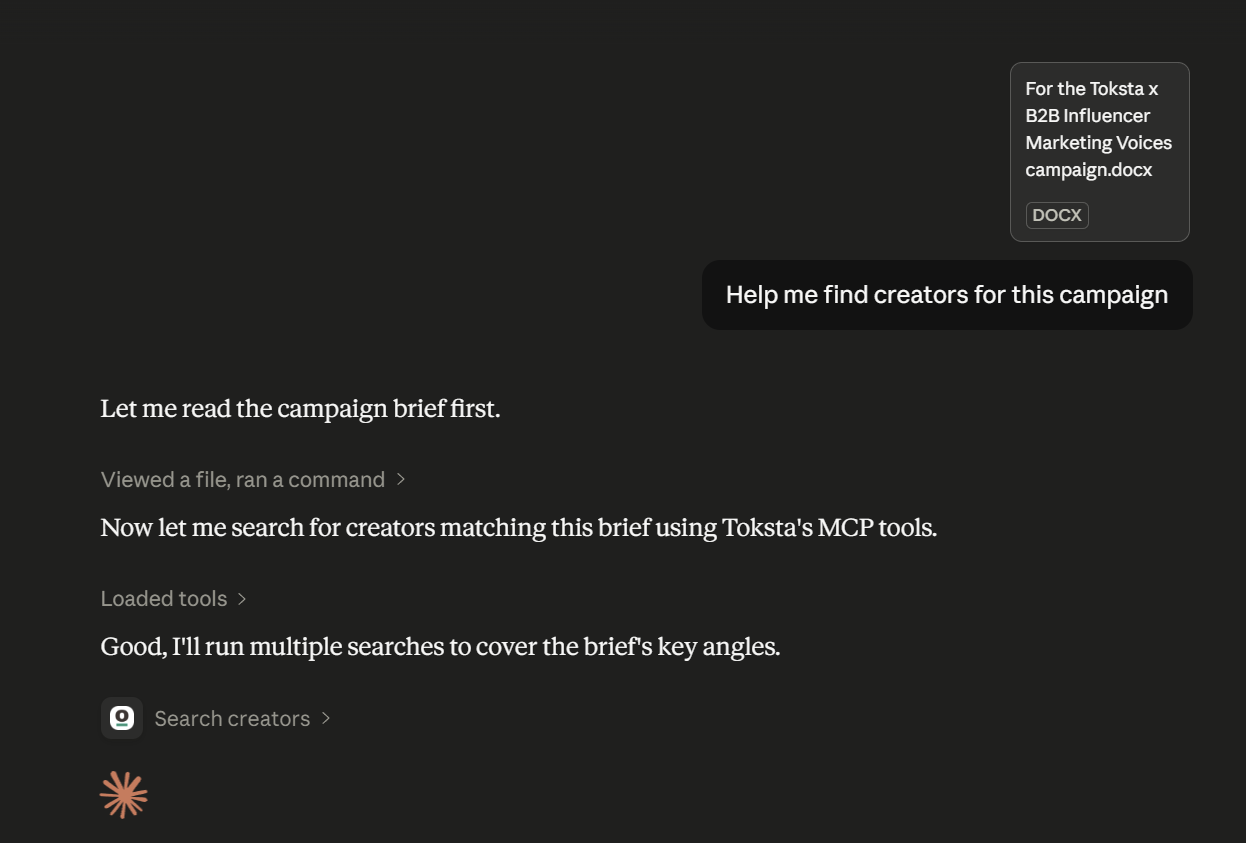
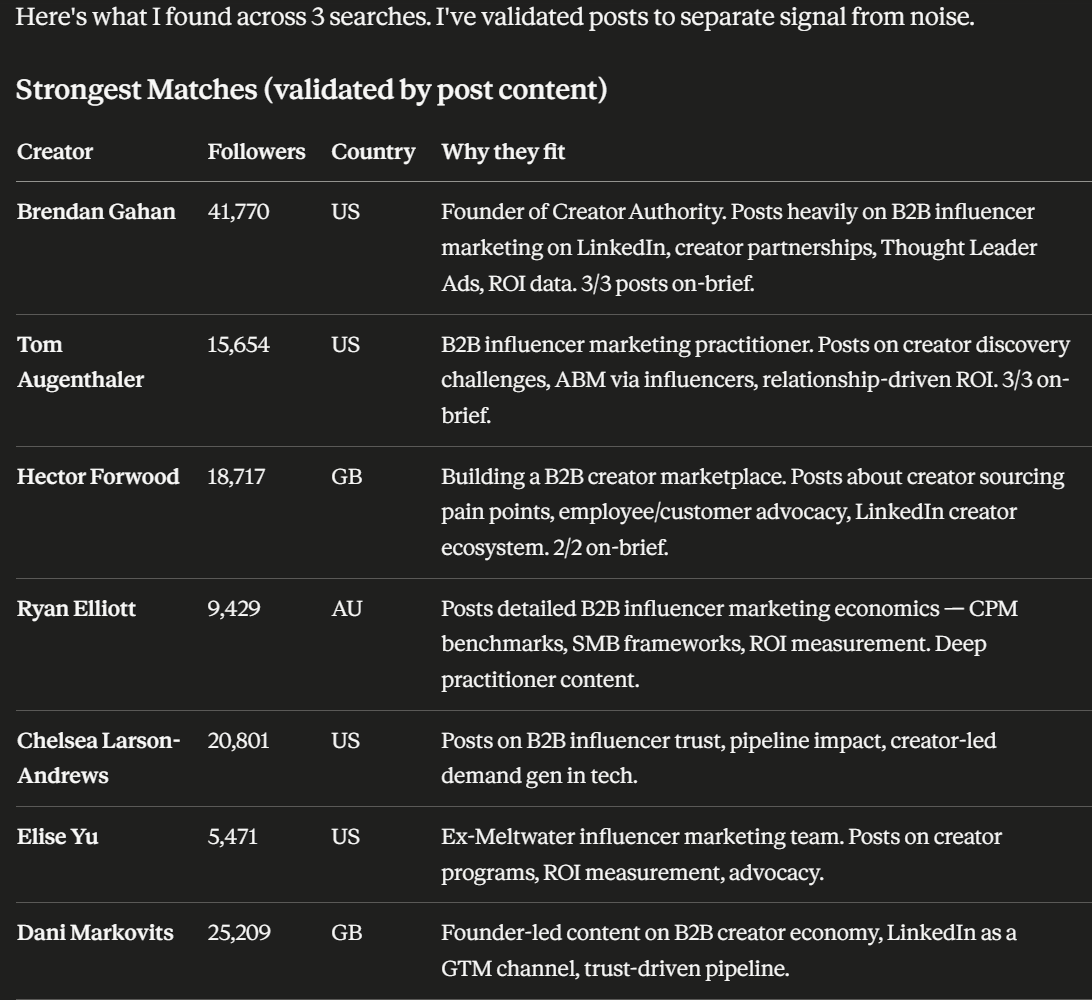
- Start from a campaign brief.
- Search creators and validate with post evidence.
- Enrich shortlisted creators with metrics.
- Run audience-fit and content-fit before outreach.
Common MCP Access Messages
- Plan not eligible: Toksta MCP is available on PAYG, Starter, Pro, and Agency.
- Billing inactive: Update billing status to continue.
- No usable credits: Add credits or wait for renewal.
Need Help?
If you can sign in to Toksta but MCP is blocked, check:
- Your current plan
- Subscription status
- Usable credit balance
Then retry from your Account -> MCP setup page.